Showing posts with label tipsandtricks. Show all posts

Thursday, 19 November 2015

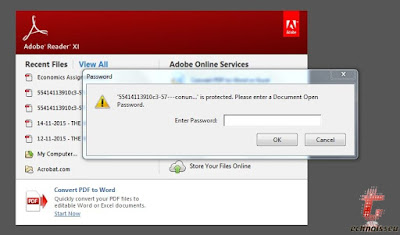
A 4 Step Guide Of How To Copy Content From Any Secured PDF

Disclaimer !-This post is only for educational purposes and should not be used for plagiarism or violating copyrights


Often students face a situation where they need to copy and paste some content from internet and they come across a pdf which they find very useful but are unable to use it as it is restricted and doesn't allow you to copy and paste.


So here's a solution to it but as said do not use it to achieve wrong ends-:


1) Drag a secured pdf to Google chrome 


2)Press ctrl+p or simply print option at the end

3)Save as 

4)You are good to go

Now you can copy and paste any content from that secured pdf and get good grades.
·   0

Wednesday, 18 November 2015

New Style Of Switching


Got bored with the default android switcher!!!
             
             A new switcher is on its way to change it, it is called the "Switchr". It is a application for all the android devices which will help to change the trend of switching between multiple applications on your android device.

            This application has been created by a XDA senior member, Mohammad Adib. This application is inspired by the Paranoid Android's Halo. Users can use this application to switch between running applications and even close them by swiping over it. If your device is rooted, you can also integrate the app with Halo, enabling even more possibilities.
Arc Style


Flow Style


Slide Style


 The best part of this application is that it is free and has three styles of switching. So it is a must to install application on your android phone or tablet as it is compatible for all android devices. This application can be easily downloaded from the Google Play store.

Source- XDA-Developers
·   0

Tuesday, 17 November 2015

6 Android Tips To Make Your Life Simple


1) Extend battery life.


19 Tips To Make The Most Of Your Android Device

First, turn off Bluetooth, GPS (Settings > Location > switch to off *or* tap Mode > Battery saving), and sync for apps (Settings > Under “Accounts” select which apps to stop syncing

Or


2)Give access Wi-Fi without dealing with passwords.


Use this site to generate your QR code and give access to your friends to your home's wifi.


3)Better mutlitasking using Flynx

                    19 Tips To Make The Most Of Your Android Device
   

You can multi-task better by using this app which loads the links in the background without leaving your news feed or social media stream.It creates a bubble where the links load and once done you are good to go.


4)Plug in a mouse 


5) Or a Keyboard


6)Get mobile notifications your desktop.


Pushbullet (free) is an extremely useful app that allows you to see call and text notifications on your computer. It’s also a very easy way to send files and links


·   0

Monday, 26 May 2014

"DeblurIt" An App To Deblur Your Pics

There are plenty of smartphones in the market with pretty decent cameras but there are always some pics which are little blurred but are really great.No doubt the photos taken from smartphones cannot be compared with that of professional cameras and there are always chances of photo being of poor quality and blurred.


So Xda-member Standy66 thought of  a solution and developed a app based on de-convolution theory .There are certain features where you can choose the Blur type,smoothness 
 and radius of the image which you want to get deblurred.DeblurIt supports images up to 4096×4096 pixels, can export to PNG and JPEG, and will operate in the background and notify you when the process is complete.


While commonly used "unsharp mask" filter just detects the edges and adds them to the original image, deconvolution uses information within the image to approximately restore the original state and fix photo blur.

Try out this awesome app and let us know How did you like it ??

Download Link

Via-Xda-Developer
·   0

Monday, 19 May 2014

Make your android phone look like an iphone 5


People always want to change the themes,wallpapers and look of their smartphones but this application gives you a chance to switch the look of your operating system,obviously this is not something new but XDA Developers Created a new app called Fake iPhone 5 has just been uploaded to Google Play


 FakeiPhone 5 is a replacement launcher that makes your Android phone's screen look almost exactly like an iPhone 5's. The main home screen's icons look like duplicates of iOS 6's. By default, the launcher starts with four rows of icons, but you can switch to five.


The developer lists the following features on the app download page:
Most realistic iPhone skin on the market.
Fully functional home screen replacement.
Beautiful icon effects – all installed apps are styled.
Comes with 16 default apps on the first page.
Custom wallpapers supported!
Swipe-to-Search available – just swipe left at the main screen.

Tip: To switch back to your previous launcher, tap the Menu key on your Android phone, then Advanced > Switch Launcher.


Via-Ghacks
·   0

Monday, 28 April 2014

Multitasking Launcher For All Android Phones, SWAPPS

                 Recently Ubuntu has become the most talked about Operating System, people are trying to know all the features of it and exploring its interface. The Unity interface offers an incredibly quick and intuitive way to access your most commonly used applications from a launcher that appears on the left hand side of your screen. Developers have liked this feature and have built an "pseudo launcher" for Android devices called as Swapps.


                   The most exciting feature of this launcher is that it does not replaces the devices main launcher, just as in Multi-tasking feature of Samsung Galaxy Note-II. You can access all your applications from wherever you are without returning to the home screen in your Android devices. It is activated by swiping from the left hand side of the screen to reveal a list that is separated into three parts: favorite apps selected by the user, recently used apps. and a complete list of all the applications currently installed on the device. You can add up to ten of your most commonly used applications to the favorites section, and you can also customize any gesture for exiting this launcher.This is an application for making multitasking just a little bit easier in all Android phones because Multitasking feature is available only in recently available high end phones.


Photo Credits -XDA Developers

Features:

  • Contains full application drawer just like in your home application
  • 'Recently Used' panel contains 5 last applications you opened
  • 'Recently Used' applications background process can be closes by long press on the application
  • 'Starred' panel holds up to 10 of your favorite applications
  • It is accessible anytime, regardless of which application is currently running, using a simple swipe
  • Notification icon can be disabled or made transparent in the settings screen.
  • Fully customizable swipe-area (Side, Width, Height)
  • Doesn't affect battery life!!!

You can get this application from Google Play Store.

Source-XDA Developers
·   0

Sunday, 27 April 2014

A new way of switching Windows

Got bored of switching windows in Windows OS using CTRL+TAB & WINDOWS+TAB ????
Today i will introduce you to a software that will make switching windows a lot easier. This software has been inspired by features of Macintosh OS (Mission Control) and has been forged for use in Microsoft Windows OS. The software is called as Production Release 1.0 , you do not have to install it just double click on it and it will start working.

The link for downloading this software is sourceforge.


·   0